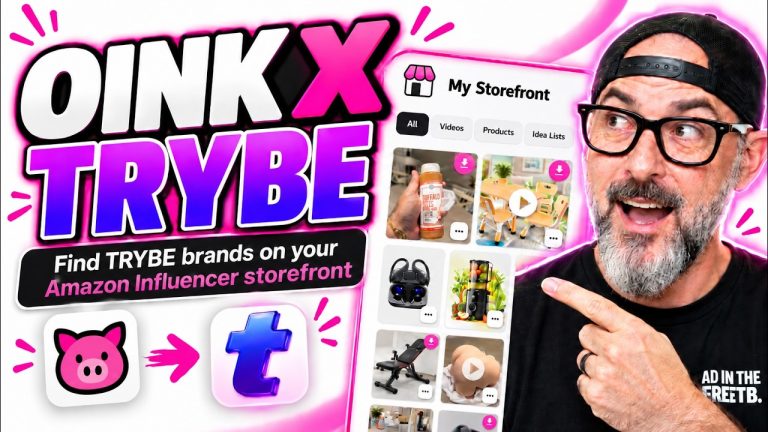
If you’re an Amazon influencer, you probably have videos on your storefront tagged to products that are no longer available. Those videos are dead weight — they’re not earning you any commissions. But what if you could revive them? In this post, I walk through the updated Storefront Health Check in Oink for Influencers and a brand new feature: Unavailable Video Matching. This feature scans your storefront for videos tagged to unavailable products, then automatically searches for replacement listings that sell the same or similar product so you can retag your video and start earning again.
Why Your Amazon Storefront Has Dead Videos (And How to Fix Them)
Here’s something that surprises almost every established Amazon influencer when I show them: if you’ve been in the program for a year or longer, there’s a very good chance that a significant chunk of your storefront is tagged to unavailable listings. Products go out of stock. Brands discontinue items. Amazon removes listings for all kinds of reasons. And when that happens, your video doesn’t automatically move to a new listing — it just sits there, unavailable, earning nothing.
When I ran through my own 700+ video storefront, I found way more dead videos than I expected. Each one was a video I’d already filmed, edited, and uploaded — zero additional work needed to reactivate them. All I had to do was retag them to active listings and they’d start earning commissions again. That’s what the Storefront Health Check is for.
Storefront Health Check Overview — Free vs Pro Features
The Storefront Health Check in Oink is split into a free tier and a Pro tier. Free users can see untagged videos on their storefront — videos that don’t have any product attached to them yet. Pro users get the full experience: unavailable video detection, overtagged video detection, and now the new Unavailable Video Matching feature.
If you’re on the free plan, start by cleaning up untagged videos — that alone often unlocks hidden earnings. If you’re serious about maximizing your storefront, Pro pays for itself pretty quickly once you start reviving dead videos.
Understanding Unavailable, Untagged & Overtagged Videos
Three categories of issues show up in your storefront:
- Untagged videos: Videos you uploaded but never tagged to a product. They’re on your storefront doing nothing. Tag them and they start earning.
- Unavailable videos: Videos tagged to listings that are no longer available. Dead weight unless you retag them.
- Overtagged videos: Videos where one of the tagged products is unavailable but the video is still active. These can miss out on commissions because part of the tag is broken.
Oink catches all three and lays them out cleanly so you can work through them one at a time.
New Feature: Scan for Matches on Unavailable Products
The brand new feature I want to walk through is Scan for Matches. Here’s the problem it solves: when an Amazon listing goes unavailable, the product itself is usually still being sold — just under a different listing. Different seller, different ASIN, sometimes a relisting by the same brand. Previously, finding that new listing was a manual job of searching Amazon, comparing specs, and copy-pasting links.
Scan for Matches automates all of that. For every unavailable video, Oink searches Amazon’s catalog for listings that match the original product’s carousel, images, title, and category. You click “Scan” and Oink gives you a list of potential replacements to pick from. Most of the time, one of the top results is exactly the same product on a new ASIN.
Walking Through My 700+ Video Storefront Cleanup
I used this feature on my own storefront for real — not a demo. Out of 700+ videos, I had a surprisingly large number of unavailable ones. For each one, I ran Scan for Matches. Most of them had 2-3 candidate replacements, and picking the right one took about 10 seconds per video.
The big realization for me was how much money I’d been leaving on the table. These were videos I’d already made. The work was done years ago in some cases. All I needed was 10 seconds per video to revive each one, and several of those revived videos immediately started earning again.
Finding Creator Connections Campaigns on Replacement Products
Here’s the unexpected bonus: several of the replacement listings I found had active Creator Connections campaigns on them. The original listing didn’t have a CC campaign when I filmed the video, but the new listing did. By retagging, I wasn’t just reactivating dead commissions — I was upgrading them to Creator Connections commissions.
Oink marks CC-eligible matches clearly in the scan results. Prioritize retagging to those listings first — they’re the highest-ROI retags you can do.
How to Retag Videos to Active Listings
The retag process itself is simple. Once you’ve picked a replacement listing from the scan results, Oink walks you through the retag on Amazon directly. You confirm the new ASIN, Oink fills the details, and your video is updated. The dead video is now alive — and often earning more than it would have on the original listing.
Make it a weekly habit. Block 20-30 minutes every week to run the Storefront Health Check and work through unavailable videos. You’ll be amazed at how much cumulative commission you pick up over a few weeks.
Final Thoughts
If I had done this cleanup a year earlier, I would have been earning more commissions the whole time. Don’t wait. If you’ve been in the Amazon Influencer Program for more than six months and you’ve never cleaned up your unavailable videos, you are almost certainly leaving money on the table. The Storefront Health Check with Unavailable Video Matching is the fastest way to find those dollars and put them back into your account.
If you want to run it on your own storefront, grab Oink for Influencers and head to the Storefront Health Check tab. The Pro version includes unavailable detection and the new Scan for Matches feature.