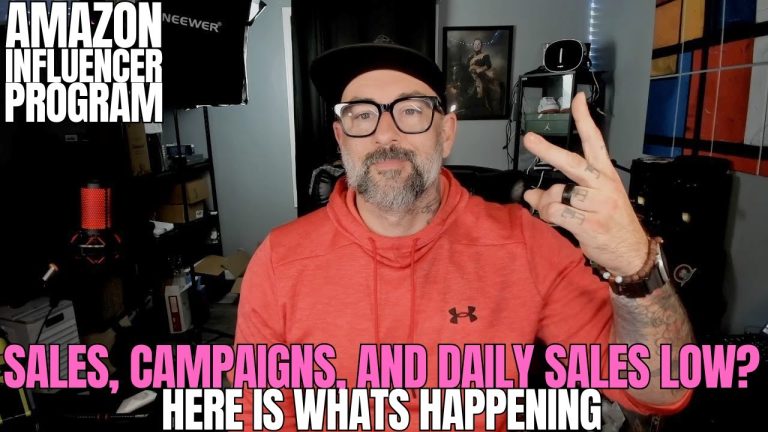
Submitting your link to a Creator Connections campaign has always been the most annoying part of being an Amazon influencer. You finish the video, you upload it, and then you still have homework: go find the campaign, paste the link, submit it, then dig through the messaging center to tell the brand you actually made the thing they paid you to make. Every single time. And most creators skip half of it — which means leaving commissions and repeat campaign invites on the table.
So I built it into the upload. The moment you tag a product in Oink, it checks whether that product has a Creator Connections campaign you’ve accepted, shows you which campaigns still need your link, and with one answer submits your post link and messages the brand — before your upload even finishes processing.
- The Old Way Was Costing You Money
- What Happens Now When You Tag a Product
- How Oink Knows Which Campaigns Already Have Your Video
- Submitting to Multiple Campaigns in One Click
- The Automatic Brand Message
- Why Messaging at Upload Gets You More Free Products
- How to Turn It On
The Old Way Was Costing You Money
Let me describe the workflow most creators are still running, because I ran it for a long time myself.
- Film and upload your shoppable video.
- Wait for it to process.
- Remember that the product was part of a Creator Connections campaign.
- Go find that campaign in your dashboard.
- Copy your video link and submit it manually.
- Open the messaging center, find the brand, write something.
Six steps, and steps four through six happen after the fun part is over. That’s exactly when people quit. The video gets uploaded, the link never gets submitted, and the campaign quietly expires without you getting credit for work you already did.
That’s the part that always bothered me. It isn’t a talent problem or an effort problem. You already shot the video. You just didn’t do the paperwork.
What Happens Now When You Tag a Product
Here’s the new flow. You’re uploading a video and you tag your product like you always do. A panel appears automatically — you don’t go looking for it, you don’t click into another tab.
That panel tells you three things immediately:
- Whether the product you just tagged has a Creator Connections campaign you’ve accepted
- Which of those campaigns still need your video link
- Which ones already have it, so you don’t waste a second thinking about them
Then it asks you one question. You answer it, and the submission and the brand message both go out. That’s the whole feature. The reason it works is that it happens at the exact moment you’re already thinking about that product — not forty minutes later when you’ve moved on.
How Oink Knows Which Campaigns Already Have Your Video
This was the part I was most careful about. Nobody wants a tool that spams a brand with the same link four times, or submits a video to a campaign that already has it.
So Oink checks the current state of your accepted campaigns before it shows you anything. If a campaign already has your link, it’s marked as done and left alone. If it doesn’t, it shows up in the list of things that still need action. You’re never guessing, and it never double-submits.
This matters more than it sounds like it should. A lot of creators avoid submitting links because they genuinely can’t remember whether they already did it, and they’d rather do nothing than look sloppy in front of a brand. Removing that uncertainty removes the hesitation.
Submitting to Multiple Campaigns in One Click
Here’s where it gets good for anyone running volume. Products show up in more than one campaign all the time. Under the old workflow, that meant repeating the whole find-copy-paste-submit routine once per campaign, which is exactly the kind of tedium that makes people submit to one campaign and call it a day.
Now every campaign that needs your link is in the same panel, and you submit to all of them at once. One video, one action, every eligible campaign credited.
The Automatic Brand Message
The link submission is the obvious half. The brand message is the half that actually changes your income.
When Oink submits your link, it also sends the brand a personalized message with the details already filled in:
- Your video link
- The specific product you covered
- The campaign it belongs to
You’re not staring at a blank message box trying to think of something professional to say about a garlic press at eleven at night. The message is written, the details are correct, and it goes out while your content is brand new.
Why Messaging at Upload Gets You More Free Products
Brands work with creators who show up. That’s really the whole thing.
Put yourself on the brand’s side of the table. They ran a campaign, sent product to a stack of creators, and now they’re trying to figure out who actually delivered. Most of them hear nothing. They have to go hunting through submissions to find out whether anyone made anything.
Then your message lands in their inbox the moment your video goes live, with the link and the product right there. You are, at that moment, the easiest creator they’ve worked with all month. When they build the invite list for the next campaign — the one with the better product and the better terms — you’re the name they remember.
That’s how repeat invites and better free products actually happen. Not from posting more. From being visible to the person deciding who gets invited next.
How to Turn It On
There’s nothing to configure. If you’re an Oink subscriber, tag a product on your next upload and the panel shows up on its own. This is an Oink Pro feature, so it’s available to subscribers only.
Here’s the full walkthrough if you want to see it in action before you try it:
If you’ve been uploading videos and telling yourself you’ll go submit the links later, this is the fix. The work you’re already doing finally gets credited automatically — and the brand hears about it while your content is still fresh.
Get Oink Pro and unlock this feature at oinkforinfluencers.com. Affiliates earn 20%, and your audience gets 10% off.