If there is one thing I have learned running Oink and shooting thousands of Amazon videos myself, it is this: thumbnails are not a “creative” decision, they are a math decision. The faster you can produce a thumbnail that actually represents the product, the faster your video starts working for you on the carousel. That is exactly why I built Instant Thumbnails into Oink.
What Instant Thumbnails Actually Does
Instant Thumbnails is a new Oink feature that pulls the official Amazon product image and turns it into a clean, ready-to-use video thumbnail in one click. No Photoshop, no Canva, no fiddling with backgrounds. You hit the button inside the extension on the product page and you walk away with a thumbnail that matches what Amazon’s algorithm and your buyers actually expect to see.
That sounds small. It is not. The number one reason most influencers in my Facebook groups stall out at 50 to 100 videos is friction at the thumbnail step. They batch-record products, then the editing pipeline collapses because they are spending fifteen minutes per thumbnail in a graphics tool. Instant Thumbnails removes that bottleneck completely.
Why Thumbnails Matter More on Amazon Than You Think
People assume Amazon’s video carousel is just rotated automatically and the thumbnail is window dressing. That is wrong. The thumbnail is the single biggest variable that determines whether a buyer taps your video over the next one in the queue. And once they tap, your watch time and engagement signals decide whether you stay in the carousel or get bounced.
A thumbnail that clearly shows the product, in scale, against a clean background, beats a “fancy” custom thumbnail almost every time on Amazon. This is the opposite of YouTube. Buyers on Amazon are in purchase mode, not entertainment mode. They want recognition, not creativity.
How I Use Instant Thumbnails in My Own Workflow
Here is the exact flow I run, and what I recommend to anyone using Oink Pro:
- Open the Amazon product page where I just uploaded my video.
- Click the Oink extension icon and hit Instant Thumbnails.
- Download the generated thumbnail and upload it directly to the Influencer Studio.
- Move on to the next product.
That used to be a fifteen-minute job. Now it is a fifteen-second job. Multiply that across a fifty-video batch and you have just bought yourself an entire afternoon back.
Where Instant Thumbnails Fits in the 5 Pillars
If you have followed my 5 Pillars system, you know the second pillar is Production Velocity. Everything that reduces the time between “I picked this product” and “the video is live” directly increases your earnings. Instant Thumbnails is a Production Velocity feature. It is not glamorous, it does not change which products you pick, but it compounds across every single video you ship.
It also pairs naturally with two other Oink features I rely on every day: Storefront Cross Check, which makes sure I have not already filmed a product, and Comparison Video Schedule, which queues up my next batch of comparison content. The Oink workflow is designed so that no single step is the bottleneck.
Common Questions I Get About Thumbnails
Should I use my face in the thumbnail? On Amazon, almost never. Save the personality content for YouTube and TikTok. On the product page, buyers want to see the product.
Does Amazon penalize identical thumbnails? No. The product image is the canonical reference. Using a clean version of it is exactly what Amazon’s own listing optimization team recommends to brands.
Will Instant Thumbnails work for variation products? Yes. It pulls the active variant’s image, so if you switched to a specific color or size, that is the image you get back.
What This Means for Your Output
If you are stuck around 100 to 200 lifetime videos and cannot understand why you are not breaking out, audit your bottlenecks. For most influencers I coach, it is not product picking, it is not script writing, and it is not filming. It is the post-production grind, and thumbnails are the worst offender. Removing that step from your day is what separates the influencers doing 20 videos a month from the ones doing 100.
Try It Today
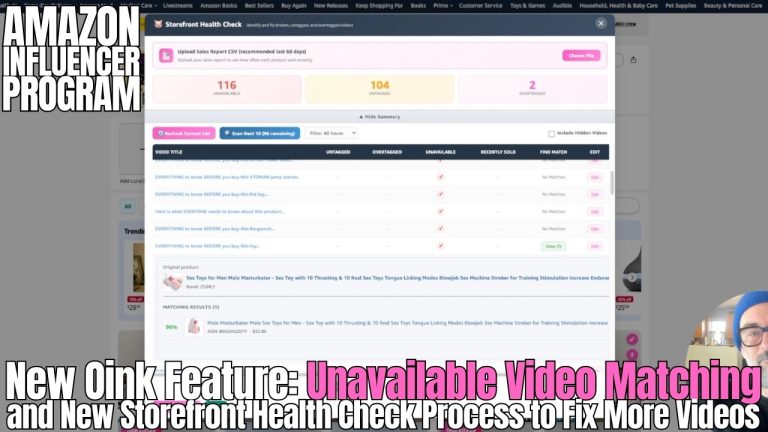
Instant Thumbnails is live now in Oink for all Pro subscribers. If you are not already using Oink, head to oinkforinfluencers.com and grab the extension. The 5 Pillars system, Storefront Cross Check, Comparison Video Schedule, Unavailable Video Matching, and Instant Thumbnails are all designed to do one thing: get you to your next 100 videos faster, with less friction, and with more commission per video. Stop fighting your tools and start shipping.