Every year I do the same dumb thing, and every year it costs me money. Prime Day gets announced, I get excited, and I immediately start blasting brands on Creator Connections like I’m going to magically build a whole new content pipeline in three weeks. Then day one of Prime Day shows up, I look over at the corner of my office, and there’s a pile of products sitting there that I never made videos for. Money. Just sitting in a pile. So this year I’m doing something different, and I want to walk you through exactly what I’m doing to prepare for the upcoming Prime Days — and more importantly, what I’m not doing. It doesn’t matter if you’re bronze, silver, gold, or platinum. There’s something in here for you.
In This Article
- Why I’m Doing Zero Product Research for Prime Days
- The Math on Brand Outreach Just Doesn’t Work
- Gold and Platinum: Use Your Deals Hub Head Start
- The Two Places in Oink You Should Live In Until Prime Days
- Don’t Just Re-Upload the Same Video
- Finish 4 Days Early — This One Bites People Every Year
- Bronze and Silver: You Still Have a Path
- Stop Ordering More Stuff Right Now
- The Bottom Line
Why I’m Doing Zero Product Research for Prime Days
A lot of people are going to be surprised to hear me say this, especially since I build a product research tool for a living. I am doing zero product research and zero brand outreach for Prime Days. None.
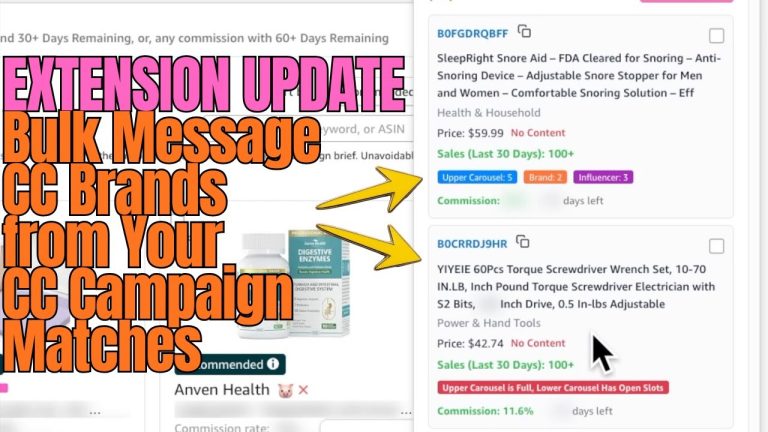
Here’s the reason, and this is where almost everybody screws up. There’s a very good chance you already have a backlog. A pile of stuff sitting in your house right now that you need to make videos for. And instead of prioritizing that pile — making sure every single one of those products has content before one of the biggest shopping events of the year — we decide to go message a bunch of brands who frankly don’t care that we exist, hoping to land a random product here and there.
How does that make sense? We’re prioritizing maybe getting a few products in, while products we already have sit there untouched. A good chunk of those products in your house are going to have Prime Day deals attached to them. They’re guaranteed. They’re already under your roof. The whole point of product research is to get products to make content for — and you already have the products.
The Math on Brand Outreach Just Doesn’t Work
Let’s be honest about what outreach actually returns in a three-week window. You send 300 brand messages over two weeks and you get four products back. Congratulations. Meanwhile you’ve burned two weeks of your prep time on a 1% hit rate, and the four products you did land show up too late to film, upload, and get approved before day one.
Compare that to a product sitting on your desk right now. You can film it today. It converts at a better rate because you know the product, you’ve used it, and if it’s already got a video live, it’s already got history. Pile of stuff that can make you money, or brands that can make you sad. Your call.
To be clear: I’m not saying product research isn’t important. It is — it’s the entire reason Oink exists. I’m saying it’s not the right priority for this specific shopping event, because the window between the announcement and the actual event is so small. Once you’re a couple of weeks out, there simply isn’t enough runway to ask for stuff, receive stuff, film it, and get it approved.
Gold and Platinum: Use Your Deals Hub Head Start
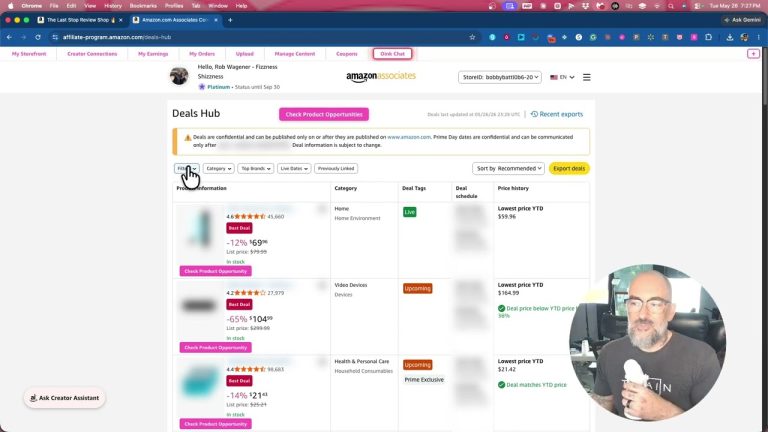
If you’re gold or platinum, you’ve obviously got a leg up. You have Deals Hub access, and Amazon changed things again this time around. Last Prime Days, gold didn’t get early access the way platinum did. This year both gold and platinum have it. I don’t know if that was intentional on Amazon’s part or not, but I’ll take it.
On the Oink side, we are absolutely slathering Amazon with Prime Days buttons. If you have Deals Hub access and you’re a Pro Oinker, you’ll see Prime Days indicators all over the place showing you exactly what has a deal on it. Amazon’s list is constantly changing and Oink keeps updating right alongside it.
The Two Places in Oink You Should Live In Until Prime Days
Forget everything else in the tool for the next few weeks. There are two screens that matter right now:
- The Content Crossposting Center — this lives on your storefront and shows you every video you’ve already made, plus which of those products currently have a Prime Days deal attached. If you made a video for it, you still have the product, and it’s on the Prime Days list? Go make another video for it today.
- The Order History Content Gap — this shows you every product you’ve ordered that you haven’t made content for yet. It’s valuable year-round, but right now you can filter it by Prime Days deals only. That’s your backlog, sorted by which items are about to go on sale.
You should be face down in those two screens until Prime Days starts. That’s it. That’s the whole strategy.
Don’t Just Re-Upload the Same Video
When I say make another video for a product you’ve already covered, I don’t mean film the same video again. Make a genuinely different one. My favorite angle is the follow-up:
“Hey, I made my first video six months ago on this microphone, and I’m going to tell you what I know now that I didn’t know back then.”
See what I did there? That’s a totally legitimate second video on the same product, and it’s more useful to the shopper than the original was. And if you happen to own two microphones, now you’re doubling up with comparison videos. You have way more opportunity sitting in your house right now than you’ll ever generate by starting outreach from scratch three weeks out.
Finish 4 Days Early — This One Bites People Every Year
This is the part people skip and then regret. Don’t plan to finish your videos the day before Prime Day. If a video gets rejected and you submitted it at the last minute, you miss day one entirely. Day one is the day.
Build in a buffer. Be completely done with uploads roughly four days ahead of time. That gives you room to fix a rejection and resubmit without losing the biggest traffic day of the event.
Bronze and Silver: You Still Have a Path
If you’re bronze or silver, you’re boned. Sort of. You don’t have Deals Hub, which is a bummer — Amazon doing Amazon stuff. But you do have a little visibility if you want it.
Go to Creator Connections and type “Prime Days” into the search. As of right now there are somewhere around 260 campaigns that come back. Those are brands actively putting campaigns together over the last week specifically for this event. Because you don’t have early access, you’ll be roughly seven days behind on those campaigns — but they’re starting to roll in, and it’s at least a window into what’s going to be on deal.
Honestly though? I don’t think you should look. I don’t think anybody should be looking at this point. I want every single one of you looking inside your own house — at what you’ve already made content for, and at what you’ve ordered but haven’t filmed yet. That’s where the money is for this event, at every tier.
Stop Ordering More Stuff Right Now
If you’re someone who invests in products, yes, there’s a slight edge — you can order something today and have a video up tomorrow. I get it. But you also have a backlog. So why are you ordering more?
Clear the pile first. Then wait a week, check if that product is still available, check if the deal window has passed, and then maybe buy the thing. There’s no rushing this.
The Bottom Line
Prime Days prep isn’t about finding new products. It’s about not leaving guaranteed money sitting in a pile while you chase brands who don’t know you exist. Work the Content Crossposting Center, work the Order History Content Gap, make a second and third video for products you already own, and be finished four days early.
Do the stuff under your roof. That’s it.
If you want the Prime Days buttons, the Content Crossposting Center, and the Order History Content Gap working for you before this event kicks off, grab Oink at oinkforinfluencers.com. It’s the tool I built because I got tired of losing money to my own backlog — and right now it’s pointed directly at helping you find the deals attached to products you already own.