If you are an Amazon influencer trying to squeeze every last dollar out of the content you already create, you need to be thinking about two things at the same time: where you earn the highest commission on any given product, and where you distribute that content to the widest audience of buyers. In this post I am going to walk you through how I compare commission rates between Amazon Associates and Levanta inside Oink, and why I lean on Facebook group posting as one of the most underrated off-site traffic strategies available to us right now.
Why Comparing Commission Rates Actually Matters
Amazon’s native commission rate structure is not uniform. Different categories pay wildly different rates, and those rates change without a lot of warning. Luxury Beauty used to be one of the best categories to promote, then it collapsed. Furniture was a solid earner, then got carved up. If you are chasing commissions, the worst thing you can do is assume the category rate you memorized last year is still the rate you are earning today. Layer on top of that the fact that Levanta brands frequently offer 10%, 15%, sometimes 20% on the same product you could also promote through the standard Associates program, and you start to see why a side-by-side comparison is not optional.
What Levanta Actually Is
For anyone who has not used it yet, Levanta is a brand-direct affiliate network that sits alongside your Amazon Associates account. Brands that sell on Amazon post custom commission offers on Levanta, and you, as a creator, can take those offers and promote their products with a unique tracking link. The sale still happens on Amazon, but the commission flows through Levanta from the brand directly. That means two things: the commission is almost always higher than the Associates rate for the same category, and it does not get clawed back in the same way Associates commissions can when a buyer adds a bunch of other stuff to their cart.
How I Compare the Two Inside Oink
This is where Oink earns its keep. When I am sourcing a product to make content about, I am not picking winners based on vibes. I am looking at the actual commission I will earn on both sides of the fence. Oink surfaces the Associates category rate on every product I research, and for Pro users it cross-references Levanta offers on those same ASINs. When there is a Levanta offer available, I can see the brand’s posted rate next to the Associates rate, and the decision becomes obvious. If Levanta is paying 12% and Associates is paying 3% for that category, I am running the Levanta link every single time.
When the Associates Link Still Wins
It is not always a slam dunk for Levanta. There are scenarios where the standard Associates link is still the better play. If you are earning on-site commissions and you expect the viewer to add a lot of extra items to their cart, those extras only count on the Associates side. Levanta pays you on the specific product you linked, not on the whole cart. So for high-volume shopping content, where you are driving a buyer to Amazon for one thing and they end up buying five, the Associates link can actually out-earn the Levanta offer on a per-click basis. I use Oink’s data to make that call on a product-by-product basis, not as a blanket rule.
Creator Connections vs Levanta: Know the Difference
People mix these up constantly. Creator Connections is Amazon’s own brand-direct commission platform, run inside the Associates dashboard. Levanta is a third-party platform that does a similar thing but with a different roster of brands and usually more generous commission offers. You can and should use both. I run Creator Connections offers when the rate is competitive and the brand is someone I would promote anyway, and I layer Levanta on top of that whenever a Levanta brand is offering a better deal on a product I am already making content about. The two are not mutually exclusive, and Oink helps me track both so I am never leaving money on the table.
Facebook Group Posting: The Off-Site Strategy Nobody Uses Right
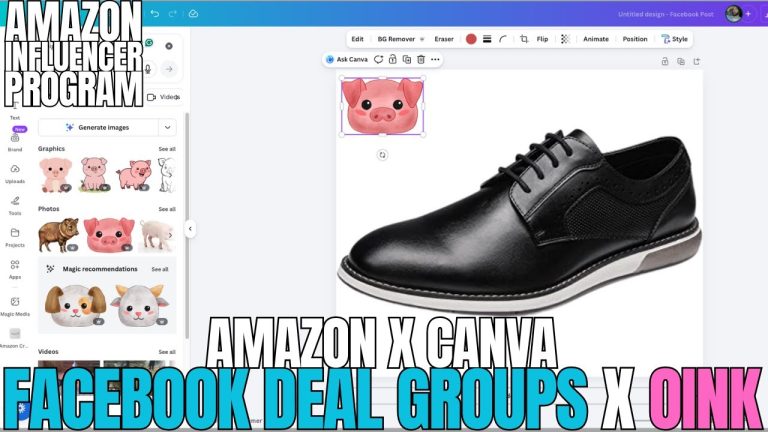
Now let’s talk about distribution, because commission rate does not matter if nobody sees your link. Off-site traffic is the cheat code right now. Facebook groups in particular are absolutely loaded with buyers who are actively looking for product recommendations, and most creators either ignore them or get banned trying to spam them. The trick is treating group posting like content, not promotion. You are not dropping affiliate links into a group and walking away. You are showing up as a creator, sharing the video you made, and letting the link do the work at the end.
How to Pick the Right Facebook Groups
Not every group is worth your time. I am looking for groups that meet three criteria. First, they have to allow affiliate links or product recommendations in their rules. If the rules ban self-promotion, do not try to sneak around it. Second, the group has to be active, meaning real engagement on recent posts, not just a big member count sitting dormant. Third, the group’s audience has to actually care about the product I am promoting. A giant deals group is not the same as a niche group built around a specific hobby or lifestyle. Niche groups convert way better, even if they are smaller.
What to Actually Post in the Group
Lead with the hook, not the link. I write a short caption that frames the problem the product solves, drop my video or short-form content in the post, and put the link in the first comment or in a clear call to action at the end. Groups hate posts that feel like ads, so I write like I would write if I was just sharing a tip with a friend. The engagement on those posts is what pushes them into more feeds, which compounds the traffic. If the group requires approval for posts, I follow the rules and wait. If my post gets good engagement, I come back and post again on different products, building a reputation inside that group as a creator who shares useful stuff.
Plugging Group Posting Into the 5 Pillars Workflow
Inside Oink I run on the 5 Pillars system, which is how I keep my day-to-day work from turning into chaos. Facebook group posting lives in the distribution pillar, right alongside other off-site traffic sources. Every time I publish a comparison video, the Comparison Video Schedule inside Oink reminds me to push that video out through my off-site channels, and FB groups are the first stop. It is not a separate project. It is a repeating step in the workflow that runs on the same cadence as my content production. That is how I keep volume up without burning out.
Tracking What Is Actually Working
Posting in groups without tracking is the same as shouting into the wind. I tag my links so I can tell which groups, which videos, and which products are actually producing sales. Over time, some groups turn into goldmines and some turn into wastes of time. The ones that produce, I prioritize. The ones that don’t, I drop. That same tracking logic applies to the Levanta vs Associates question. I watch the commissions come in over a couple of weeks and confirm that my rate assumptions from Oink are matching what is hitting the dashboard. If something is off, I adjust.
The Bottom Line
Higher commissions plus wider distribution equals more money in your pocket. That is the whole game. Levanta lets you capture a bigger slice of every sale when the offer is there, Associates still has its place for cart-loaded purchases, and Facebook groups give you a low-cost way to push your content in front of buyers who are primed to spend. Oink ties all of it together, so you are not flipping between five tabs trying to figure out which link to run or where to post your next video. If you are serious about scaling your commissions in 2026, this is the kind of stack you want to be running.
Head over to oinkforinfluencers.com and grab the Pro plan if you want access to the Levanta comparison features, the Comparison Video Schedule, and everything else that turns guesswork into a repeatable workflow. Your next ten videos should be earning more than the last ten. Let’s make that happen.