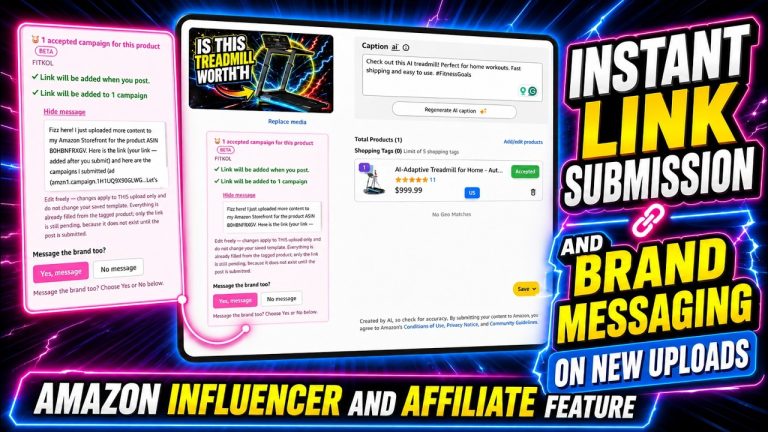
Rob walks through the Amazon and Canva integration that allows Amazon affiliates to create professional, compliant product images for social media sharing. If you post Amazon deals on Facebook or Instagram, you need to know about this tool. Amazon has strict rules about using product images, and simply copying pictures from product pages can get your affiliate account flagged or shut down. Rob shows the approved method for creating beautiful product images that keep you compliant, and the best part is you do not even need a paid Canva account to use it.
Table of Contents
- Understanding Amazon’s Image Restrictions
- Why the Canva Integration Matters
- Accessing the Amazon-Canva Integration
- Creating Your Product Images Step by Step
- Customization Options and Features
- Building Brand Consistency with Templates
- Free vs Paid Canva for This Integration
- Best Practices for Staying Compliant
Understanding Amazon’s Image Restrictions
Rob explains that Amazon has very strict rules governing what affiliates can and cannot post when promoting products on social media. One of the most critical restrictions involves product images. Amazon explicitly prohibits affiliates from simply right-clicking and saving product images directly from the product page. While this might seem like the easiest approach, it violates their terms of service and is one of the quickest ways to get flagged by Amazon’s compliance team or potentially lose your affiliate account entirely. Amazon wants to maintain control over how their products are represented across social platforms, and they take these guidelines seriously enough to monitor for violations.
Why the Canva Integration Matters
Rather than leaving affiliates without a solution, Amazon established a partnership with Canva to provide a compliant pathway for creating product images. Rob explains that you essentially end up with the same product image, but because it has been created through the official Amazon-Canva integration, it is fully compliant with Amazon’s policies. This distinction is important because using an Amazon-endorsed method significantly reduces the risk to your affiliate account. The integration represents Amazon’s official answer to the question of how affiliates should handle product imagery for their social media promotions.
Accessing the Amazon-Canva Integration
Rob walks through exactly where to find this integration. The process starts by logging into your Amazon Associates dashboard. From there, you navigate to the product linking section, where Amazon houses tools for creating promotional content. Within that section, you will find an option labeled either Create Your Own Banner or Create with Canva, depending on when you access the platform. Clicking this opens a Canva editor that Amazon has specifically configured with the product image and product information already pre-loaded and ready for you to work with. This eliminates the need to manually search for products within Canva or copy product details yourself.
Creating Your Product Images Step by Step
The actual process is straightforward and efficient. You search for the specific product you want to promote within the Amazon Associates dashboard. Once selected, Amazon automatically loads it into the Canva editor complete with the product image and relevant details. From there, you have complete creative control. You can change backgrounds, add text overlays, incorporate price tags, adjust fonts and styling, and arrange elements however you see fit. Once you have practiced a few times, the entire process typically takes just two to three minutes per image, making it practical to create an entire week of promotional images in a single sitting.
Customization Options and Features
Rob emphasizes that the customization capabilities are robust enough to create unique and professional promotional content. You are not limited to rigid templates. You have access to a wide array of design tools including the ability to layer elements, incorporate your own branding, adjust color schemes, and add persuasive copy that encourages your audience to click through. The Canva interface, even in its free version, provides plenty of fonts, shapes, graphics, and stock images to work with. This ensures your product images do not look generic or templated, helping your content stand out in crowded social media feeds.
Building Brand Consistency with Templates
Rob shares a strategic tip that separates professionals from casual posters: creating consistent templates for your product promotions. If you regularly share Amazon deals, having a consistent visual style helps build brand recognition and makes your content immediately identifiable in your followers’ feeds. The approach is to invest time upfront in setting up a master template with your brand colors, logo, and a consistent layout structure. Once established, you simply swap out the product image and details each time, dramatically speeding up the workflow while maintaining a polished, professional appearance that builds trust and credibility with your audience over time.
Free vs Paid Canva for This Integration
One of the most attractive aspects of this integration is that you do not need a paid Canva account. Rob confirms that the free tier includes everything necessary to create professional, compliant product images for the Amazon Associates program. If you invest in Canva Pro, you gain access to additional templates, premium graphics, and more advanced features. But for many affiliates just getting started, the free version is perfectly adequate. As your business grows and you want more sophisticated designs, upgrading becomes an optional consideration rather than a requirement to participate.
Best Practices for Staying Compliant
Rob wraps up by emphasizing the importance of using the Amazon-Canva integration as your standard workflow for product images. This is not just a convenience feature but a critical component of maintaining a healthy affiliate account in good standing. By following this approved method, you demonstrate to Amazon that you understand and respect their terms of service, which protects your account from flags, warnings, or suspension. The small additional step of creating images through Canva is worth the effort because it keeps your affiliate income stream secure while simultaneously improving the quality of your social media presence.