Last week I talked about running Meta ads directly to Walmart products using my Walmart Creator affiliate links. Walmart actually says that’s allowed, so I’ve been testing it. Now I’m about three weeks into posting and a couple of weeks into running ads, and I want to show you what’s happening so far.
Spoiler: the numbers are going up, but the most interesting part isn’t the ads themselves. It’s how I’m using Walmart’s tracking window to set up for Black Friday.
Table of Contents
- You Don’t Need a Storefront to Make Money With Walmart Creator
- My Results After About Three Weeks
- Look for Consistency, Not Spikes
- What My Facebook Group Posts Look Like
- The 14-Day Tracking Window Strategy
- I’m Learning This in Real Time
You Don’t Need a Storefront to Make Money With Walmart Creator
First thing. I’m not doing anything with my Walmart storefront. Like, nothing. I had maybe two storefront visits last week.
Storefronts are not required to make money with Walmart Creator. All my traffic is going straight to products through affiliate links. So if you’ve been stressing about building out a perfect storefront, don’t let that stop you from getting started.
My Results After About Three Weeks
I set a custom date range starting October 1st so you can see the before and after. For the first few weeks I wasn’t doing anything with Walmart at all. I started posting around October 22nd, and I’m now just about 30 days in.
Once I started running ads, my views jumped pretty hard, and sales have been doing well. But here’s the interesting part: I was already having some decent sales days before I ran a single ad. In fact, my highest day so far happened without any ads at all.
If you want to find this same screen in your Walmart Creator dashboard, go to Performance at the top, then click over to Storefront and Affiliate.
Look for Consistency, Not Spikes
When I look at that chart, I’m not getting excited about one big day. A single-day spike that shoots straight up and straight back down doesn’t tell me much.
What I want to see is the lines getting “fatter.” In other words, when sales go up, they stay up for a bit before they come back down. The wider that gap, the more consistent things are, and consistency is what actually means something is working.
What My Facebook Group Posts Look Like
Just to remind you what kind of posts we’re making: I’m running a Facebook group where I don’t take pictures of products and I don’t go to Walmart. I literally just post links to products.
- Some posts have a bunch of links right in the description.
- Sometimes I drop the link in the comments instead.
- I mix in Amazon posts too, since I do both. For example, Gold and Platinum Amazon influencers can see Black Friday deals that are the lowest price of the year, and I made a post just for those.
- Some posts link to my Amazon influencer videos, and others link to Walmart partner products.
It’s a low-effort, link-first approach, and it’s working well enough that I’m going to keep pushing it.
The 14-Day Tracking Window Strategy
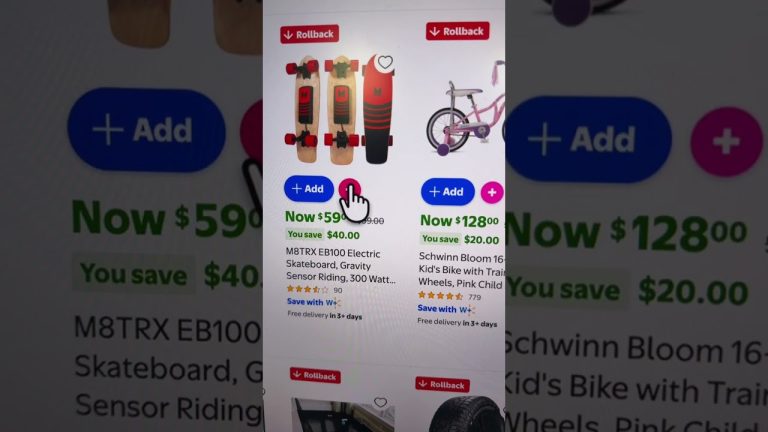
Here’s the game I’m playing. Right now I’m running ads to three products: a Christmas tree, an air fryer and one other product.
With Walmart, when someone clicks your affiliate link, there’s a 14-day tracking window. If they buy anything at Walmart within 14 days of clicking your link, you get commission on it. Not just the product you linked. Anything.
So people clicking my ads right now might wait until Black Friday deals roll out to actually buy. That’s the bet. I’m running ads heavier now so that the 14-day window overlaps Black Friday and Cyber Monday, and hopefully I capture a lot of those sales later.
I’ve spent just over $500 on these three ads so far. Next, I’ll either swap the products out or keep the best performer and add three new ones heading into Black Friday. The goal is clicks and sales now, and hopefully a lot more sales later.
I’m Learning This in Real Time
Just so it’s clear, I don’t have a Walmart course or anything like that. I’m testing this myself and sharing what’s happening as I go. Follow along and I’ll keep posting updates as the results come in.
The same principle applies whether you’re on Walmart or Amazon: the products you choose make or break your results. On the Amazon side, Oink for Influencers helps me find products worth promoting and spot the best Creator Connections campaigns so I’m not guessing.
Want to see the full breakdown with my dashboard on screen? It’s all in the video.
Watch the full video here:
If you’re an Amazon influencer or affiliate looking to make more commissions with less guesswork, check out Oink for Influencers. It’s the Chrome extension I built to help creators find great products, catch the best campaigns and earn more.