How many times have you sat staring at your Amazon storefront wondering whether a video you spent an afternoon filming is actually pulling in Creator Connections money? I used to do it constantly — open a product, copy the ASIN, jump over to Creator Connections, paste it in, squint at the numbers, then repeat for the next product. It’s the kind of small friction that quietly eats your week. So we built something to kill it: a Creator Connections earnings button that lives right on your storefront cards in Oink. One click, and you see what’s earning. Let me walk you through it.
In This Article
- The Old Way Was Killing My Time
- Meet the New CC Button on Your Storefront
- It’s Free for Every Oink User
- What the Yellow Indicator Actually Means
- How Oink Totals Multiple Active Campaigns
- Why Faster Checks Mean More Commissions
- Where This Fits in the 5 Pillars System
- How to Start Using It Today
The Old Way Was Killing My Time
If you run an Amazon storefront with any real volume, you know the routine. You’ve got dozens, maybe hundreds, of products you’ve made content for. Some are in active Creator Connections campaigns, some aren’t, and the only way to know what each one is earning is to dig through product pages and the Creator Connections dashboard one at a time. By the time you’ve checked ten products, you’ve burned twenty minutes and lost the thread on what you were actually trying to figure out.
That’s not strategy. That’s data entry. And every minute you spend doing affiliate math in your head is a minute you’re not filming, not researching new products, and not chasing the next commission. The whole reason Oink exists is to remove exactly this kind of friction, so this feature was a natural one to build.
Meet the New CC Button on Your Storefront
Here’s the simple version: there’s now a CC button sitting right on each of your storefront product cards inside Oink. You don’t navigate anywhere. You don’t copy an ASIN. You don’t open Creator Connections in another tab. You click the button on the card, and Oink shows you the active Creator Connections earnings tied to that product, right there.
That’s the entire point — the answer comes to you instead of you going and assembling it. When you’re scanning your storefront trying to decide what deserves a fresh comparison video or an updated review, having earnings visible at the card level changes how fast you can make those calls.
It’s Free for Every Oink User
I want to be clear about this because people always ask: the CC earnings button is live for both free and pro users, with no restrictions. This isn’t a paywalled teaser. If you’re on Oink at all, you’ve got it. I built Oink as a tool I’d want to use myself as a creator, and gating something this basic behind an upgrade would have defeated the purpose. Check your earnings, free or pro, no asterisks.
What the Yellow Indicator Actually Means
When you start clicking around, you’ll notice a yellow indicator on some products. Here’s what that’s telling you: the product has an active Creator Connections campaign attached, but it hasn’t generated earnings yet. That’s an important distinction. A yellow product isn’t a dead product — it’s a live campaign that simply hasn’t converted to commission dollars at the moment you’re looking.
Why does that matter? Because it changes your decision. A product with an active campaign and zero earnings might just need more content pointed at it, or more time. A product with no active campaign at all is a different conversation entirely. The yellow flag keeps you from mistaking “not yet” for “never,” which is exactly the kind of mistake that makes creators abandon products too early.
How Oink Totals Multiple Active Campaigns
Here’s where it gets genuinely useful. A single product can have more than one active Creator Connections campaign running on it at the same time. If you’re checking this manually, you have to find each campaign, read each number, and add them up yourself — and that’s where mistakes creep in.
Oink does that math for you. When a product has multiple active campaigns, the CC button shows you the combined active earnings for that product in one number. No spreadsheet, no mental arithmetic, no missing a campaign because you didn’t scroll far enough. You get the real, total picture of what that product is doing for you across every campaign it’s tied to.
Why Faster Checks Mean More Commissions
I know “saves you time” sounds like a throwaway benefit, so let me make it concrete. Every check that used to take you a minute now takes a second. Multiply that across a storefront with a hundred products and a routine you run weekly, and you’ve handed yourself back hours every month.
But the deeper win isn’t the time — it’s what you do with it. Faster checks mean you actually check, instead of putting it off. They mean you spot your earners and your duds in real time, double down on what’s working, and redirect content toward the products that deserve it. The creators who win at this game aren’t the ones with the most products. They’re the ones who know which products are pulling weight and act on it fast.
Where This Fits in the 5 Pillars System
If you’ve been around Oink for a while, you know I think about storefront growth in terms of the 5 Pillars — research, content, storefront management, optimization, and earnings tracking. The CC button sits squarely in that last pillar, and it connects to the rest. When you pair earnings visibility with tools like Storefront Cross Check, your Comparison Video Schedule, and Unavailable Video Matching, you start to see your whole operation instead of disconnected pieces. You know what’s earning, what’s stale, what’s broken, and what to film next — all from the same place.
How to Start Using It Today
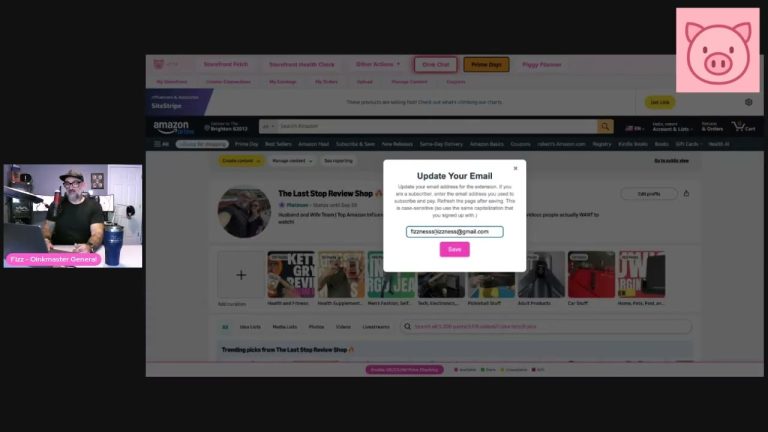
There’s nothing to set up. If you’re already running Oink on your storefront, the CC button is on your product cards right now. Open your storefront view, find a product, and click it. Watch for the yellow indicators, note where your real earners are, and let that guide what you create next. Want to see exactly where the button lives and how the totals work before you dive in? Here’s the full walkthrough.
If checking your Creator Connections earnings has always felt like more work than it should be, this is the fix. It’s free, it’s live, and it’s built to get you back to the part of this business that actually grows it — making content and chasing commissions. Head over to oinkforinfluencers.com and put the CC button to work on your own storefront today.