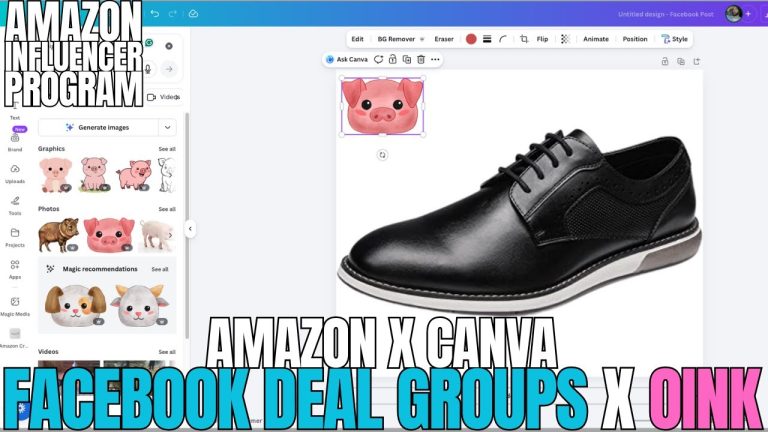
If you’re an Amazon Influencer and you’re not paying attention to how much you could be making from Levanta on top of your Amazon commissions, I want to grab you by the shoulders and shake you a little. I just put out a video breaking down how Oink now works alongside Levanta, and I want to walk through why this matters, how to actually compare commission rates between the two, and how I’m using Oink’s FB group posting workflow to push Levanta links into the exact places buyers are already raising their hands.
Why I Built the Oink + Levanta Workflow in the First Place
The dirty secret of the Amazon Influencer Program is that the on-site commission rates Amazon pays you are not the only commissions available on the same products. Levanta is a creator marketplace that pays direct commissions from brands, and for a lot of categories those rates are two, three, sometimes five times higher than what Amazon’s baseline program is paying on that same ASIN. But nobody wants to manually cross-check every product in their storefront against every brand offer on Levanta. That’s exactly the friction Oink was built to remove, and it’s why I wired Levanta straight into the Pro feature set.
What the Oink x Levanta Integration Actually Does
Inside Oink Pro, when you pull up a product, we now show you both sides of the commission picture. On the left you see the Amazon side — category, commission tier, how it’s classified. On the right, if that brand is running a Levanta campaign, you see the Levanta payout. You no longer have to open two tabs, dig through a brand directory, and eyeball which is better. Oink does the compare step for you and tells you the math.
This is important because Amazon’s commission categories have been getting messier, not cleaner. A product you think is sitting at 4% might be getting classified into a 1% bucket. If that same brand is offering 10% on Levanta, the correct call for every single piece of content you make on that product is to use the Levanta link, not the Amazon Associates link. Oink makes that decision obvious instead of leaving you guessing.
How to Sign Up for Levanta and Connect It
If you haven’t already, the first step is getting approved on Levanta. It’s free for creators. Once you’re in, you’ll browse brand campaigns, request to join the ones that match the products you’re already covering, and then start pulling tracked links. I covered the sign-up flow in the video, but the short version is: apply, get approved into the individual brand campaigns you care about, then use Oink to surface which of your existing storefront products are eligible.
Comparing Commission Rates the Right Way
Here’s the part people mess up. You can’t just look at the raw percentage. Levanta commissions are typically paid on the selling price minus Amazon’s take, and Amazon’s on-site commissions are paid on the qualifying revenue from the Associates program. The rules aren’t identical, and the payout windows differ. Oink normalizes this so when I say “Levanta is better on this ASIN,” I mean it’s better after you account for how each one actually pays.
- Check the Amazon category the product is actually classified under, not the category you think it should be in.
- Look at the Levanta brand rate and whether it’s a flat percentage or tiered.
- Factor in Creator Connections bonuses if the brand is running one on the Amazon side — sometimes CC stacks the odds back toward Amazon.
- Only then decide which link goes in your video description, FB group post, or storefront idea list.
Where FB Group Posting Fits Into This
The reason I keep harping on Facebook groups is because FB groups are one of the last places on the internet where you can drop an affiliate-friendly link in front of buyers who are actively searching for a product recommendation. Reddit fights you on it. TikTok buries you. FB groups, if you’re posting valuable content and not spamming, still convert.
Oink’s FB group posting workflow is designed so you can take the product you just compared commissions on, pull the right link (Amazon or Levanta, whichever wins), and push it into the relevant groups with the copy formatted the way those groups actually allow. You’re not spending 20 minutes reformatting a caption for each group — you’re picking a product, picking a link, picking your groups, and going.
A Real Example From My Own Workflow
I had a kitchen brand in my storefront that Amazon was paying me roughly 3% on. Same brand on Levanta was offering 8%. Every video I’d made on those products had been routing traffic through my Amazon Associates link. I used Oink to pull every ASIN in that brand, swap over to the Levanta link where Levanta won, and then posted the top three into the FB groups that are active for that niche. Within the first week the Levanta commissions on those products were more than double what Amazon had paid me on the same volume the previous month.
That’s the kind of change you can only spot when you have the comparison in front of you. Otherwise you’re just trusting that Amazon’s commission rate is the best rate available, and lately that assumption has been costing influencers a lot of money.
How This Fits Into the 5 Pillars
The Levanta compare tool slots right into the commissions pillar of the 5 Pillars system. Your storefront pillar makes sure the right products are up. Your content pillar makes sure you’re shooting the right videos. Your on-site vs off-site pillar is where Levanta lives, because it’s about making the dollar you earn per click as big as possible. Storefront Cross Check, Comparison Video Schedule, and Unavailable Video Matching keep the pipeline clean. The Levanta comparison is the last mile — it’s the tool that decides where each click goes.
What You Should Do This Week
- Sign up for Levanta and get approved on the brands in your storefront.
- Open Oink Pro and run the comparison across your top 20 products.
- For every product where Levanta wins, swap the link you’re using in the content that’s already live.
- Use Oink’s FB group posting flow to push the top three winners out to your groups with fresh copy.
- Track your commission mix for the next 30 days and see how it shifts.
The Bottom Line
Amazon’s commission structure is not going to get more generous on its own. Levanta gives you a legitimate way to earn real money on the same products you’re already making content for, and Oink is the tool that makes it actually practical to manage. If you’ve been sitting on the fence about Pro, this is the feature that pays for itself. Head over to oinkforinfluencers.com and get set up, then run the Levanta comparison on your storefront tonight. I promise you’ll find at least one product where you’ve been leaving real money on the table.