This is one of the most important Creator Connections updates I have ever pushed to Oink, and I want to explain exactly why. Right now you are making a video, tagging your product, and assuming that is the whole opportunity on that listing. It is not. On that same listing, the other variations may each have their own dedicated Creator Connection campaign that has nothing to do with the campaign attached to the product you tagged. You are leaving money on a listing you already made content for.
Table of Contents
- The Variation Problem Nobody Talks About
- Why Variations Convert Better Than You Think
- Introducing Check Storefront Variation IDs
- How To Run It, Step By Step
- What To Expect When It Runs
- Real Numbers From My Own Storefront
- Why This Matters More Right Now
The Variation Problem Nobody Talks About
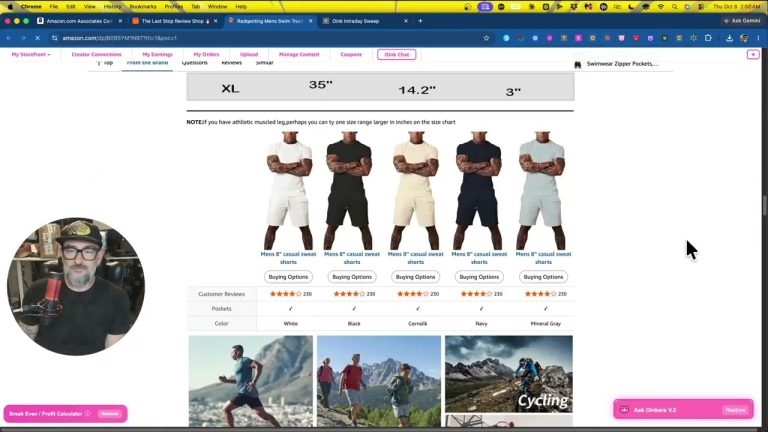
Let me make this concrete. Say you made a video for a red shirt. Oink went out and grabbed you the Creator Connection campaigns tied to that product. Great, that part already worked. But the blue shirt on that same listing? The orange shirt? Those variations might each have a completely different, completely separate dedicated Creator Connection campaign sitting there unclaimed.
It is far more common than most creators think. Brands do not always run one campaign per listing. They frequently run campaigns at the variation level, which means a single listing can be carrying several campaigns that are invisible to you unless you go hunting variation by variation. Nobody has time to do that manually across an entire storefront.
Why Variations Convert Better Than You Think
Here is the part that makes this worth your attention. When somebody watches your video and clicks through to the listing, the likelihood that they buy a different variation of that same product is actually pretty good. Honestly, it is much higher than the likelihood they wander off and buy something else entirely.
Think about it from the shopper’s side. They came for the shirt. They liked the shirt. They just want it in blue. That sale happens on your traffic, off your content. So if you made a video for a product on that listing, you want to make sure you are set up to earn as much as possible on every product on that listing, not just the single variation you happened to film.
Introducing Check Storefront Variation IDs
The new feature in Oink is called Check Storefront Variation IDs, and it does exactly what the problem calls for. It takes every video on your storefront and every product you have tagged, automatically pulls all of the variations for everything you have tagged, cross references those variations against Creator Connections, and grabs those campaigns for you.
I want to be clear about something, because this matters to me. These are campaigns you have a direct connection to. We are not randomly grabbing at straws to inflate a campaign count with brands you have never touched. Every campaign this pulls is legitimately connected to content you have actually made. That distinction is the whole point.
How To Run It, Step By Step
- Open Oink and go to your Creator Connection Cross Check Center.
- Click the Check Variations button at the top.
- Let it run. It will pull the variations for every tagged product on your storefront.
- Review the campaigns it surfaces and auto accept the ones you want.
That is the whole workflow. There is no spreadsheet, no manual listing audit, no clicking through variation dropdowns one at a time.
What To Expect When It Runs
Depending on how many videos you have, the variation number is going to be big. Do not be alarmed by it. When I ran it on my own storefront, it found 17,000 variations. Out of those 17,000, about 3,000 had unique Creator Connection campaigns on them.
Because of that volume, this process can run long. Mine took roughly 40 minutes. I know that sounds like a lot. Trust me, it is worth it for the extra campaigns you come out the other side with. Start it and go do something else.
This is especially true if you do clothing. Clothing listings have absolutely ridiculous variation counts, sometimes dozens per product, so clothing creators have the most to gain here and the longest run times.
Do not be surprised if the auto accept number gets big either. During my run it was checking 3,464 variations that did have campaigns available, and the number queued up to accept got close to a thousand. A lot of that gets whittled down automatically, because sometimes a variation carries the exact same campaign as the product you already accepted, and those duplicates get discarded.
Real Numbers From My Own Storefront
The first time I ran this, after all the duplicates were filtered out, I ended up with somewhere around 150 to 175 extra campaigns. Then I ran it again a couple of days later and picked up another 30.
That second run is worth noting. Brands add campaigns over time, so this is not a one and done tool. Re running it periodically keeps catching new campaigns on variations of listings you already made content for.
Why This Matters More Right Now
Creator Connections keeps getting tighter. Competition for campaigns is up and the easy opportunities are drying up. In that environment you need as much opportunity as you can get, but you want opportunity that actually makes sense, that is connected to the content you are already making. That is exactly what this does.
This is a feature for pro subscribers to Oink, and it is live right now. If you have been filming products on listings with multiple variations, and almost everyone has, you are very likely sitting on campaigns you did not know existed.
If you are not using Oink yet, this is a good example of what it is built to do: find the commission opportunities that already exist inside the work you have done and surface them without you having to dig. Head over to oinkforinfluencers.com and run the variation check on your own storefront. I would bet money you find campaigns sitting there.