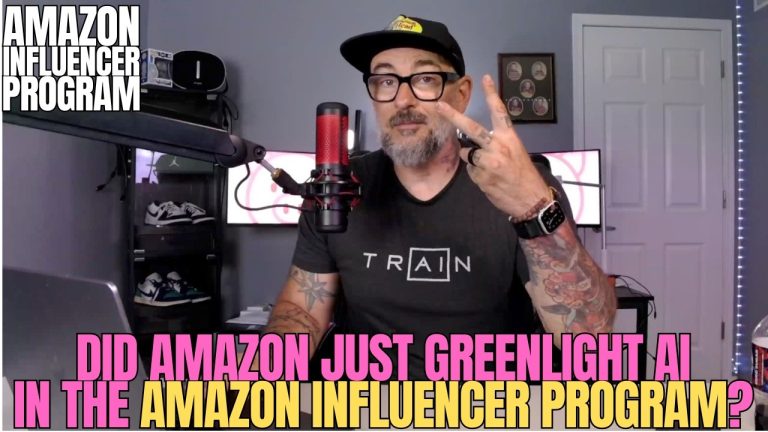
If you just signed up for Oink and your first reaction was “okay, that’s a lot,” I want you to know something: that reaction is completely normal, and it’s exactly why I run these weekly onboarding sessions. I built Oink to be powerful, and power means there are a lot of buttons, panels, and features staring back at you the first time you log in. So in this week’s live walkthrough I slowed everything down and took brand-new users from a fresh account to an actual working weekly routine. Here’s the full setup, the same way I’d walk a friend through it sitting next to me.
In This Article
- Why Oink Feels Overwhelming at First
- Setting Up Your Pro Account the Right Way
- Back Up Your Data Before You Touch Anything
- Fetch Your Storefront and Fix Broken Videos
- Automate Your Week With the Piggy Planner
- Why Creator Connections Should Be a Daily Habit
- The Content Strategy Behind Five-Figure Months
- What to Ignore as a Beginner
Why Oink Feels Overwhelming at First
I’m an Amazon influencer myself, so I didn’t build Oink as a generic dashboard. I built it to do the things I was already doing manually every week, just faster and without the mistakes. The trade-off is that when you open it cold, you’re seeing every tool I rely on all at once. My advice on day one is simple: don’t try to master everything. You only need a small handful of features to start finding products and making content. The rest will make sense once your account is set up and your storefront is connected. Treat this walkthrough as your “turn these on, ignore the rest for now” guide.
Setting Up Your Pro Account the Right Way
The first place I send every new user is the Pro account settings. This is where you tell Oink who you are as a creator so it can tailor what it shows you. A lot of beginners skip this and then wonder why their results feel generic. Go through the settings methodically, confirm your storefront details are correct, and make sure the toggles that match how you actually work are switched on. You don’t need to understand every single setting yet, but getting the core ones right up front saves you from re-doing work later.
Back Up Your Data Before You Touch Anything
This is the step people forget, and it’s the one I never skip. Before you start making changes, back up your data. It takes a few seconds and it means that if you ever want to roll something back, or if you make a change you regret, you have a clean copy to fall back on. Think of it like saving your work before a big edit. Build the habit early and you’ll never lose anything important as you start experimenting with the tool.
Fetch Your Storefront and Fix Broken Videos
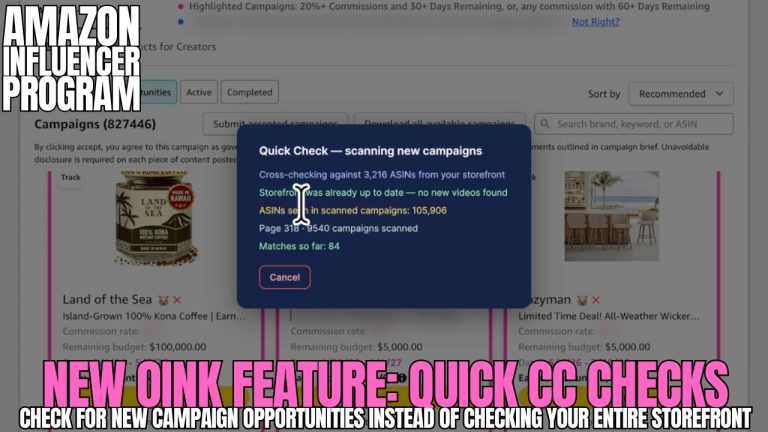
Once your settings are in place, the next move is to fetch your storefront. This pulls in all of your existing shoppable videos and product links so Oink can actually work with your real catalog. Here’s where the tool earns its keep for a lot of creators: the Unavailable Video Matching feature finds videos that are pointing at products that have gone out of stock or been pulled, and helps you re-match them to live products. Every one of those broken videos is dead commission until you fix it. I also lean on the Storefront Cross Check here to make sure nothing is slipping through the cracks. Cleaning this up early is one of the fastest ways a new user recovers commissions they didn’t even know they were losing.
Automate Your Week With the Piggy Planner
The Piggy Planner is the piece that turns Oink from a tool you “check sometimes” into a routine that runs your week for you. I use it to schedule the recurring work so I’m not relying on memory or motivation. Set up your Comparison Video Schedule, decide when you want to be reminded to cross-check your storefront, and let the planner keep you on a cadence. The whole point is to remove decision fatigue. When you sit down to work, the planner already tells you what to do that day, so you spend your energy making content instead of figuring out what to make.
Why Creator Connections Should Be a Daily Habit
If there’s one thing I want every new influencer to take away, it’s this: Creator Connections should be an everyday activity, not something you check once a month. Brands post campaigns constantly, and the good ones with free products and bonus commissions get claimed fast. I check it daily, and inside Oink I read the campaign labels so I can tell at a glance which offers are worth my time. Making this a daily habit is how you keep a steady stream of free products coming in to make content with, which feeds directly into more commissions down the line.
The Content Strategy Behind Five-Figure Months
I closed the session with the strategy that’s helped me make five figures a month in the Amazon Influencer Program, and it’s simpler than people expect: answer the questions your buyers actually have. Shoppers aren’t searching for fluff. They want to know if a product fits, how it compares, whether it’s worth the money, and what it’s really like to use. When your content answers those real questions, it earns trust and it earns clicks. This is the foundation of my 5 Pillars approach, and it works whether you joined Oink last week or six months ago. Build your content around buyer questions and the commissions follow.
What to Ignore as a Beginner
Just as important as what to turn on is what to leave alone for now. The advanced features aren’t going anywhere, and trying to learn all of them in week one is the fastest way to burn out and quit. Get your account settings right, back up your data, fetch and clean your storefront, set up the Piggy Planner, and check Creator Connections daily. That’s your starter routine. Once those five things feel automatic, come back and add the next layer. The creators who stick with Oink are the ones who started small and let the tool grow with them.
If you want to watch the full step-by-step walkthrough, here’s the complete onboarding session:
New to Oink and still feeling like it’s a lot? That’s exactly what these onboarding sessions are for. Get set up the right way, build the habits, and let the tool do the heavy lifting on finding products and protecting your commissions. Start here: oinkforinfluencers.com.