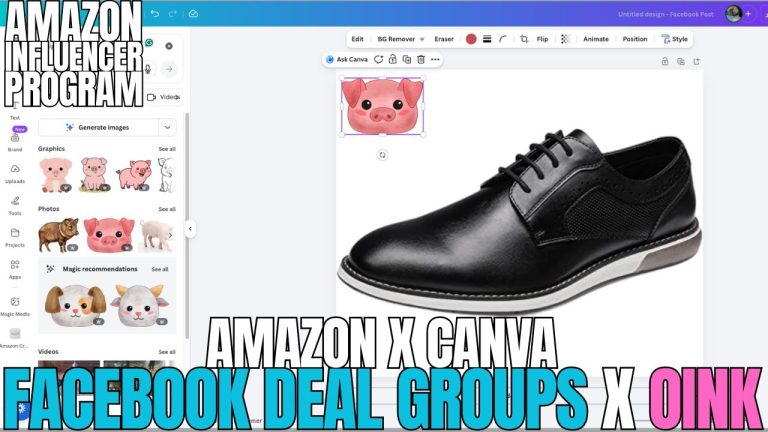
Rob demonstrates how the Oink for Influencers extension now integrates with YouTube, making it simple to update and tag your videos directly from the browser. In this video walkthrough, he shows the step-by-step process of using the Oink integration to manage your YouTube content alongside your Amazon influencer workflow. For creators who juggle both YouTube and Amazon Creator Connections, this integration streamlines what would normally be a time-consuming, manual process. Rob walks through the entire feature so you can start using it immediately in your own content management routine.
Table of Contents
- What the YouTube Integration Brings to Oink
- Why Proper Video Tagging Matters
- The Step-by-Step Tagging Process
- How to Update Your Video Information Efficiently
- Connecting Your Content to Specific Products
- Improving Video Discoverability Through Better Tagging
- Streamlining Your Content Management Workflow
- How YouTube and Amazon Work Together for Your Success
What the YouTube Integration Brings to Oink
The Oink for Influencers extension has expanded beyond just managing your Amazon Creator Connections campaigns. Rob introduces a new YouTube integration that allows you to update and tag your YouTube videos without leaving the extension. This might sound like a small feature, but for influencers managing content across multiple platforms, it’s genuinely valuable. You can now handle both your Amazon influencer workflow and your YouTube content management from a single dashboard. Instead of switching between tabs, logging into YouTube separately, and manually editing video metadata, you can do it all through Oink. This integration is designed with the understanding that modern influencers live in multiple ecosystems, and anything that reduces friction in your workflow saves you time and energy you can put back into creating better content.
Why Proper Video Tagging Matters
Before diving into the mechanics of how to use the feature, Rob addresses why tagging matters in the first place. Tags on YouTube serve multiple purposes. They help YouTube’s algorithm understand what your video is about, which improves the chances that it appears in relevant search results and recommendations. They also help your audience find content they’re looking for. When someone searches for a specific product category or type of video, proper tags increase the likelihood that your content shows up. Beyond discoverability, tags also help you maintain organized content archives. When you’re looking back at your library months or years later, proper tags make it easy to find videos about specific products or categories. The tagging system might seem like a minor administrative task, but it has real consequences for how many views your videos receive and how discoverable your content is.
The Step-by-Step Tagging Process
Rob walks through the Oink interface and shows exactly how to tag your videos using the integration. The process is intuitive—you navigate to the video you want to edit, and the Oink extension presents you with fields where you can add or modify tags. Rather than copying and pasting tags or retyping them manually, you can work directly within the Oink interface. Rob demonstrates adding relevant tags to a sample video, showing how you can include product-specific tags, category tags, and descriptive tags that help both YouTube’s algorithm and your viewers understand the content. The interface is designed to be faster than manually editing on YouTube’s native platform, which typically requires navigating through multiple screens and settings pages. By consolidating this function into Oink, Rob has created a workflow that respects your time.
How to Update Your Video Information Efficiently
Beyond tagging, the Oink YouTube integration allows you to update other video information efficiently. You can modify your video title, adjust the description, and manage other metadata without bouncing between different screens and platforms. This is particularly useful if you want to refresh older videos with updated information, fix typos in titles or descriptions, or add new links to products you’ve subsequently created content for. Instead of logging into YouTube, finding the specific video, going to the edit screen, making changes, and saving—a process that can take several minutes per video—you can do it all from one place. Rob emphasizes that this efficiency gain compounds when you’re managing multiple videos. If you’re regularly updating or refreshing your YouTube content, the time saved by using this integration really adds up.
Connecting Your Content to Specific Products
One of the most powerful aspects of the Oink YouTube integration is the ability to connect your videos to specific products. This is where the YouTube and Amazon ecosystems truly start working together for you. As an Amazon influencer, your ultimate goal is to create content that drives people to purchase products on Amazon. By properly tagging your YouTube videos with product information, you’re creating a system where your content is explicitly linked to the products you’re promoting. Rob shows how the Oink interface makes it easy to specify which products a video covers, creating a direct line between your YouTube content and the Amazon Creator Connections platform. This connection helps ensure that when someone watches your YouTube video, there’s a clear path to purchase the products you’re recommending.
Improving Video Discoverability Through Better Tagging
Properly tagged videos are dramatically more discoverable than untagged ones. Rob explains that when you take the time to add detailed, relevant tags to your content, you’re essentially creating multiple entry points for your audience to find that video. Someone searching for a product review might find you through a product tag. Someone looking for videos in a specific category might find you through a category tag. Someone searching for a product brand might find you through a brand tag. Each tag is a potential discovery opportunity. By consolidating the tagging process into Oink, Rob makes it more likely that creators will actually tag their videos properly, rather than skipping that step because it’s inconvenient. The easier you make the process, the more likely creators are to do it thoroughly, which benefits everyone—better organized content means a better experience for viewers and better performance for creators.
Streamlining Your Content Management Workflow
Content management can quickly become overwhelming when you’re handling both YouTube and Amazon platforms. Without an integrated tool, your workflow typically involves jumping between multiple tabs, multiple platforms, and multiple login sessions. You create content in one place, then you need to manage it in another, then you need to track campaigns in a third place. The Oink YouTube integration is specifically designed to reduce this fragmentation. By bringing YouTube management into the Oink ecosystem, Rob has created a more cohesive workflow where influencers can manage the core elements of their business—creating content and tracking campaigns—from a more unified location. This doesn’t replace YouTube’s native features; rather, it complements them by adding convenience and efficiency to your routine tasks. The less time you spend managing platforms and the more time you spend creating content, the better off you are.
How YouTube and Amazon Work Together for Your Success
Rob emphasizes that YouTube and Amazon are complementary ecosystems for influencers, not competing ones. Your YouTube content can drive awareness and build an audience, which then translates into traffic on Amazon. Conversely, success in Amazon Creator Connections can build credibility that attracts viewers to your YouTube channel. By integrating these two platforms through Oink, you’re recognizing this relationship and building tools that support it. An Amazon influencer with 10,000 videos on Amazon might have 50,000 YouTube subscribers, and both audiences represent potential customers and collaborative partners. Proper tagging and content management across both platforms ensures that your effort in one place benefits your presence in the other. Rob’s YouTube integration is fundamentally about acknowledging that successful modern influencers don’t live in a single ecosystem—they build presence across multiple platforms, and their tools should reflect that reality. By consolidating management tasks, Oink helps you optimize your time so you can focus on creating great content that serves audiences wherever they are.