Rob walks through the second part of his Creator Connections strategy series, focusing on the practical workflow for researching products, identifying which ones have active campaigns, and reaching out to brands directly. This installment demonstrates how to use the Oink for Influencers browser extension to streamline the research and outreach process by working directly from Amazon.com rather than relying solely on the Creator Connections dashboard. By the end of this video, creators will understand Rob’s complete approach to finding opportunities, vetting them, and initiating contact with brands—all from a single platform.
Table of Contents
- The Complete Research and Outreach Workflow
- Searching Amazon for Creator Connections Products
- Using Oink to Identify CC-Eligible Products
- Evaluating Carousel Placement Opportunities
- Verifying Sales Performance and Active Campaigns
- Setting Up Efficient Message Templates
- The Complete Messaging and Outreach Process
- Why This Workflow is More Effective Than Dashboard-Only Approaches
The Complete Research and Outreach Workflow
Rob demonstrates a comprehensive strategy for finding Creator Connections opportunities and contacting brands, and the beauty of his approach is that it keeps you working within Amazon.com itself rather than toggling between multiple platforms. The traditional approach involves going to the Creator Connections dashboard, seeing what campaigns are available, and then deciding which ones to pursue. Rob’s methodology flips this somewhat: start by finding products in your niche that are actually selling, verify they have active Creator Connections campaigns, confirm they’re worth your promotional effort, and then initiate contact with the brands directly through the Oink extension. This workflow maintains focus on what should matter most—products that are proven to sell—rather than starting with what campaigns happen to be available.
Searching Amazon for Creator Connections Products
The first step in Rob’s workflow is conducting Amazon searches within your product niche. You’re looking for products that are relevant to your content, that show strong market performance indicators, and that align with what your audience is interested in. Rather than browsing randomly, Rob recommends targeted searches based on your niche specialties. This could mean searching for specific categories, price ranges, product types, or brand names that align with your content focus. The goal is to build a list of candidate products that merit deeper investigation. At this stage, you’re not yet worrying about whether these have Creator Connections campaigns—you’re simply identifying products that appear to be moving volume and that you could authentically create content about.
Using Oink to Identify CC-Eligible Products
Once you’re browsing Amazon and have identified a product of interest, the Oink for Influencers extension becomes your primary tool for determining whether that product is eligible for Creator Connections campaigns. As you browse product pages on Amazon, the Oink extension displays information about whether Creator Connections campaigns are available for that product. This is far more efficient than manually cross-checking products against the Creator Connections dashboard, which would require you to leave Amazon and navigate back and forth repeatedly. The extension essentially brings the Creator Connections data to where you’re already working—directly on the product pages. This integration saves enormous amounts of time and keeps you in a focused research state.
Evaluating Carousel Placement Opportunities
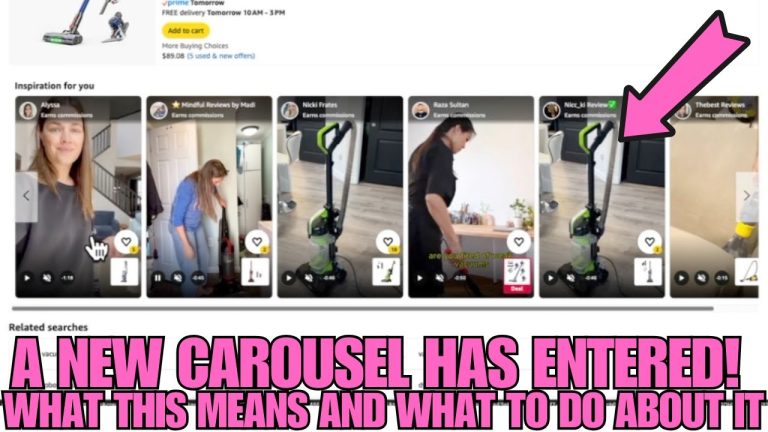
As Rob walks through his research process, he demonstrates how to evaluate carousel placement opportunities, which are a critical component of driving traffic to Creator Connections products. The product carousel on Amazon—the section of your storefront that displays featured products—is where many of your potential halo sales and Creator Connections clicks originate. Rob shows how the Oink extension helps creators assess whether a product would be a good fit for carousel placement and whether the traffic potential justifies the effort of creating content and pursuing the Creator Connections campaign. Some products might have active campaigns but limited carousel potential, making them less attractive, while others might offer strong visibility opportunities.
Verifying Sales Performance and Active Campaigns
A critical part of Rob’s vetting process is confirming two specific things about each candidate product. First, he verifies that the product actually has healthy sales performance and isn’t just sitting on the shelves. This is where product research skills come into play—assessing factors like reviews, review velocity, price point, competition, and other indicators of real demand. Second, he confirms that an active Creator Connections campaign actually exists for the product. The Oink extension helps clarify this status, preventing you from investing time in creating content or messaging brands about products that don’t currently have active campaign opportunities. By combining these two verifications—sales performance and active campaign status—Rob ensures that his effort allocation goes toward products with genuine upside.
Setting Up Efficient Message Templates
To streamline the outreach process, Rob demonstrates setting up message templates within the Oink extension. These templates allow him to craft professional brand contact messages that can be customized efficiently without writing unique messages from scratch each time. A good template includes your introduction, why you’re interested in the specific product, information about your audience, and a clear call to action requesting inclusion in their Creator Connections program. Templates ensure consistency and professionalism while drastically reducing the time investment per outreach. Rob emphasizes that while templates are efficient, they should still be personalized somewhat for each brand.
The Complete Messaging and Outreach Process
Rob walks through the end-to-end process of actually sending messages to brands through the Oink extension. Once you’ve identified a product with active Creator Connections potential and solid sales performance, the extension allows you to initiate contact with the brand directly without leaving Amazon or navigating to external email systems. This integration keeps your workflow efficient and maintains all your outreach activity in one organized location. The ability to bulk-message multiple brands becomes powerful when you’re working from a curated list of quality product opportunities. Rather than sending dozens of generic messages to any brand with any product, you’re strategically reaching out to brands with specific products you’ve vetted.
Why This Workflow is More Effective Than Dashboard-Only Approaches
The fundamental advantage of Rob’s approach is that it prioritizes product quality and sales performance ahead of campaign availability. Many creators do the reverse—they look at what Creator Connections campaigns are currently available and try to work backward to create content for those products. Rob’s method starts with “what products in my niche are actually selling,” verifies “do these have Creator Connections potential,” and then pursues those opportunities. This ensures you’re never wasting effort on products with weak market demand. Additionally, this workflow keeps you working directly from Amazon.com, which means you’re staying familiar with the platform your audience uses. The efficiency gains from using Oink to automate the product research and messaging aspects of this workflow mean you can evaluate far more opportunities in the same time you might have spent manually checking the Creator Connections dashboard. For creators serious about building a sustainable Creator Connections income, understanding and implementing this workflow represents a significant competitive advantage.